
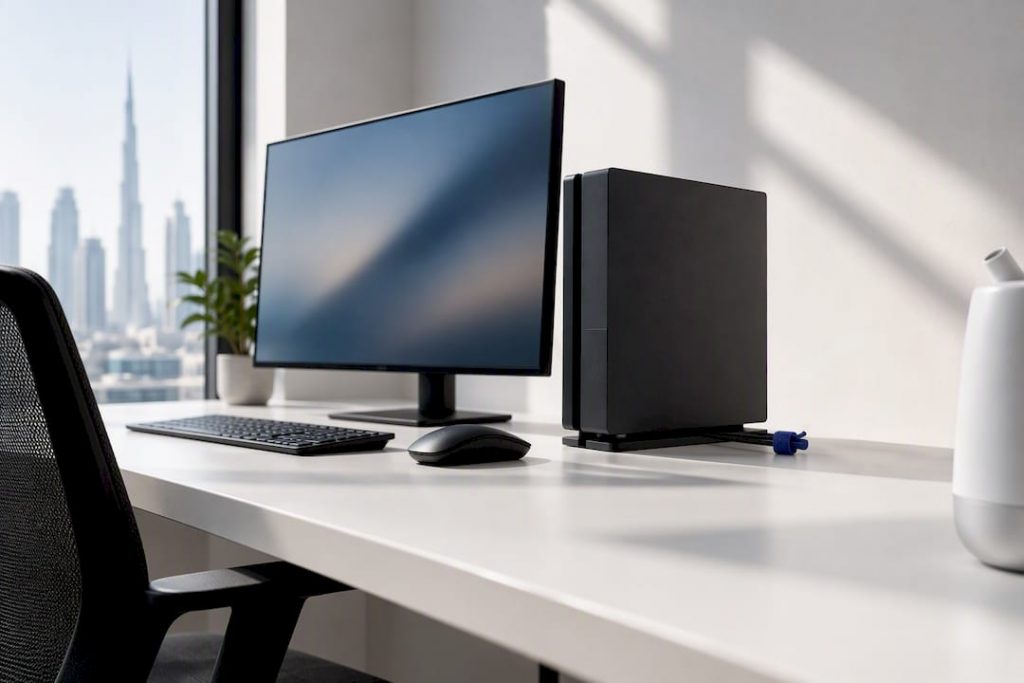
Yes, humidifiers are safe around electronics when you avoid direct mist contact and keep humidity moderate and stable. The single most important rule is a clear one: no visible mist should ever reach a device or its vents. Check the room with a hygrometer, watch for condensation on nearby surfaces, and use distilled or low-mineral water in ultrasonic and impeller units.
TL;DR:
- Position the humidifier so mist cannot reach devices or vents, and always aim toward open air, not directly at electronics or screens.
- Use a hygrometer to monitor room humidity and keep it between 40% and 50% to minimize condensation and mineral dust risks.
- Choose ultrasonic or impeller humidifiers with distilled water to reduce mineral aerosol deposition on nearby electronics.
- Regularly clean and descale the humidifier every three days to prevent microbial and mineral buildup, especially when using tap water.
- Immediately switch off and dry electronics if condensation, white dust, or damp ports are observed near devices.
Table of Contents
- Quick dos and don’ts you can use right now
- Recommended humidity range and why dew point matters
- Humidifier types and the specific risks they pose to electronics
- Placement, monitoring and maintenance: a step-by-step setup checklist
- If you see condensation, white dust or damp ports: what to do now
- How ClimatePro UAE experience helps with humidifier safety
- What actually matters when humidifying a room with electronics
- Sources
- FAQ
Quick dos and don’ts you can use right now
Most humidifier-related electronics damage traces back to a handful of avoidable habits. The list below covers what to do immediately and what to stop doing today.
- Position the humidifier so mist cannot reach devices or their vents, and never aim it toward a screen, console or router.
- Place a hygrometer in the room and check the reading before switching a unit on.
- Use distilled or demineralised water in ultrasonic and impeller humidifiers to limit mineral buildup.
- Avoid setting a humidifier on top of or directly beside electronics, even briefly.
- Never ignore white dust, damp ports or condensation. Stop humidifying and dry the equipment before doing anything else.
Manufacturer manuals for both the humidifier and the electronics generally advise keeping the two apart and aiming mist toward open air rather than fixed objects, which matters more than following a single universal distance rule (CNET’s care guidance).
Pro Tip: Run the humidifier in the centre of a room rather than against a wall shared with a desk or entertainment unit; airflow disperses moisture before it settles on nearby surfaces.
Recommended humidity range and why dew point matters
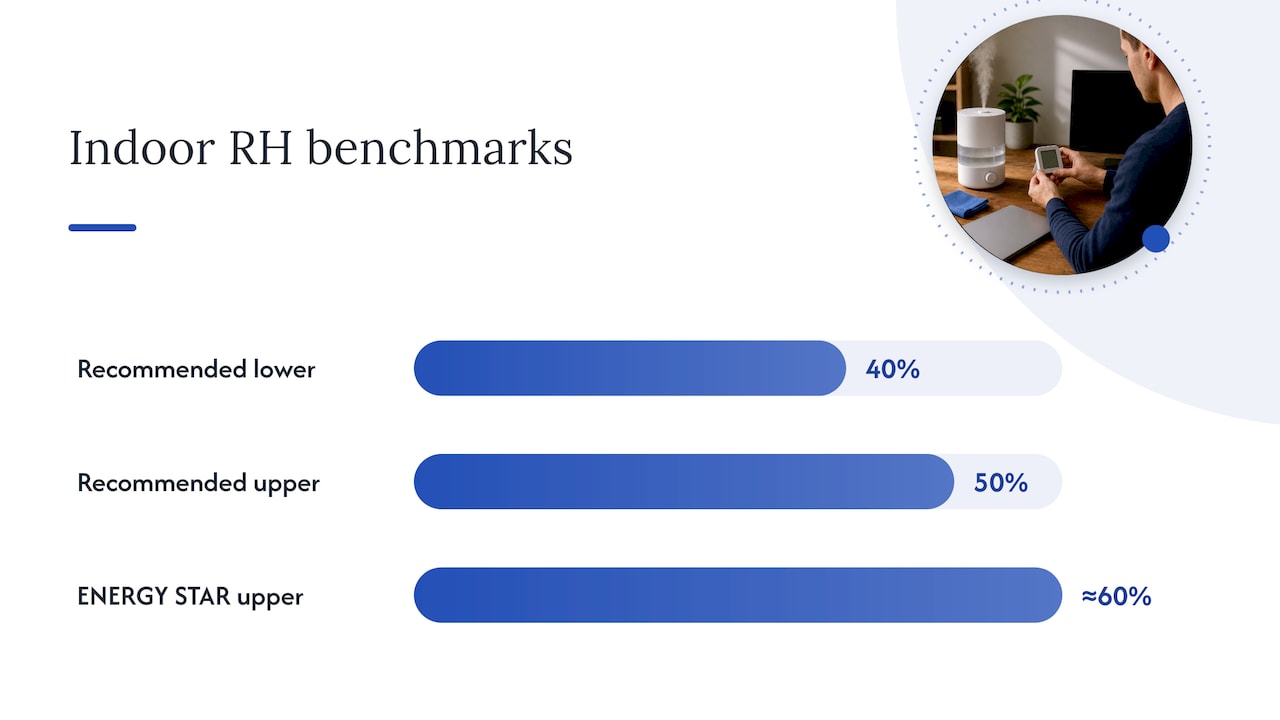
For most homes, a relative humidity in a moderate range around 40% to 50% is a practical target. Higher relative humidity levels increase condensation risk without adding comfort, so it is best to avoid excess humidity.
Relative humidity on its own does not tell the full story. Dew point, the temperature at which moisture in the air begins to condense, is what actually determines whether water forms on a cold screen or a metal chassis. A room can sit at a moderate RH reading and still produce condensation on electronics if a nearby surface is cooler than the surrounding air, which is common near air-conditioning vents or exterior walls.
- Aim for moderate relative humidity in living spaces with electronics nearby.
- Avoid letting relative humidity reach high levels, especially in smaller or poorly ventilated rooms.
- Avoid rapid humidity swings; gradual adjustments reduce the chance of condensation forming on cold components.
ENERGY STAR’s summary of ASHRAE guidance for equipment environments treats an upper boundary of around 60% RH as conservative, and emphasises dew point control over relative humidity alone as the real driver of condensation risk (ENERGY STAR). That guidance was built for data centres, but the underlying physics applies just as well to a lounge room with a television and a games console. A reliable hygrometer, checked regularly rather than assumed, is the simplest way to stay inside that range.
Humidifier types and the specific risks they pose to electronics
Not all humidifiers behave the same way around electronics. The technology inside the unit changes what ends up in the air, and that matters more than most buying guides suggest.
- Ultrasonic and impeller humidifiers create a visible aerosol and can disperse dissolved minerals as fine white dust, which settles on nearby surfaces including screens and circuit boards. Distilled water or a demineralisation cartridge reduces this significantly.
- Evaporative humidifiers moisten air by drawing it through a wet wick, so there is no visible mist plume and far less mineral aerosol, though the wick and tank still need regular cleaning to avoid mould and mineral buildup.
- Steam and warm-mist humidifiers disperse fewer minerals than ultrasonic units, but they introduce heat and scalding risk, so placement near electronics and children needs extra care and the model manual should always be followed.
The EPA’s archived fact sheet notes that ultrasonic units are particularly efficient at aerosolising minerals, while steam units are not expected to disperse measurable amounts. The practical takeaway is that technology choice shifts the odds, but water quality and cleaning habits matter more than which type sits on the shelf.
Placement, monitoring and maintenance: a step-by-step setup checklist
Getting placement, monitoring and cleaning right removes most of the risk humidifiers pose to nearby devices — see these safe dehumidifier options for safes and vaults to learn more about humidity control for enclosed valuables.
- Keep the humidifier off the same surface as electronics and aim the mist toward open air, never at vents, ports or fan intakes.
- Put a hygrometer close to sensitive equipment rather than only at room centre, since local conditions near a desk can differ from the average reading.
- Watch for sudden RH jumps rather than gradual ones. A fast rate of change can create condensation risk even within an otherwise acceptable range.
- Empty and wipe the tank daily where the manufacturer advises, and follow the EPA’s recommendation to clean portable humidifiers every third day to prevent mineral and microbial buildup.
- Descale the unit on schedule and let it dry completely before refilling or restarting.
- Choose distilled or reverse-osmosis water where practical. Demineralisation cartridges vary in effectiveness, so distilled water remains the more consistent option in areas with hard tap water.
Pro Tip: Set a recurring reminder for tank cleaning rather than relying on memory. Every-third-day cleaning is easy to skip once a humidifier becomes part of the background.
If you see condensation, white dust or damp ports: what to do now
Spotting moisture or mineral residue near electronics calls for an ordered response rather than a guess.
- Switch off and unplug any affected devices immediately, then stop the humidifier and move it well away from the area.
- Let equipment air-dry naturally. Small items benefit from a sealed container with desiccant packs, and nothing should be powered on until it is completely dry.
- Once dry, reduce the humidifier’s RH setting, relocate it further from electronics, and switch to distilled water if mineral dust was visible.
- Inspect vents and fans for residue and clean them before running the devices again.
Even moderate RH readings do not rule out condensation risk, since particulate contamination with a low deliquescent humidity can absorb moisture and form conductive films that contribute to corrosion inside electronics (ASHRAE’s contamination analysis). Keeping dust and mineral residue off circuit boards is as important as controlling humidity itself.
How ClimatePro UAE experience helps with humidifier safety
An online air quality store stocks humidifiers alongside air purifiers and filters, and related educational content addresses the same maintenance questions covered here in more depth for readers who want to go further.
- The ultrasonic humidification guide covers white dust, tap-water mineral content and cleaning routines specific to ultrasonic and impeller units.
- The humidity control workflow guide sets out a stepwise approach to monitoring RH and catching condensation risk before it becomes a problem.
- The relative humidity explainer breaks down dew point and condensation mechanics for readers who want the physics behind the safety rules.
Readers weighing up which humidifier type suits a room with electronics, or looking for a low-mineral or combined purify-and-humidify option, can browse an online store’s humidifier category for models suited to that use case.
What actually matters when humidifying a room with electronics
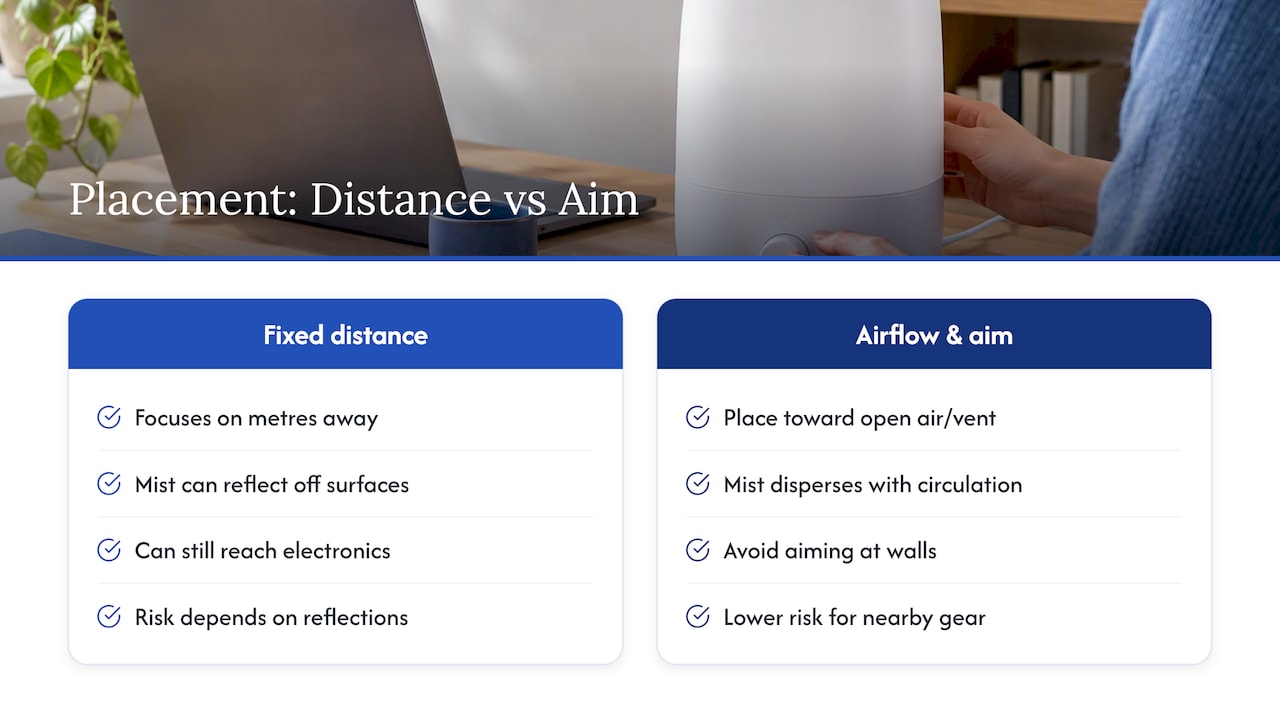
Most humidifier safety advice fixates on distance: keep the unit a metre away, two metres, whatever number a manual happens to print. That framing misses the point. A humidifier sitting three metres from a desk can still cause damage if it is aimed at a wall that reflects mist back toward the equipment, while a unit sitting closer but aimed into open air with good circulation poses far less risk. Airflow and aim matter more than a fixed distance ever will.
The bigger blind spot is water quality. Buyers spend considerable energy comparing ultrasonic, evaporative and steam models, when the mineral content of the water going into any of them is often the bigger variable. A cheap ultrasonic unit running distilled water will outperform an expensive one running hard tap water, in terms of what ends up settling on a nearby screen.
If there is one habit worth adopting over any other, it is treating the hygrometer as non-negotiable and the cleaning schedule as a fixed routine rather than an afterthought. Everything else in this checklist supports those two habits.
— Nevel
Sources
- Use and care of home humidifiers (EPA)
- Make humidification adjustments | ENERGY STAR
- ASHRAE contamination whitepaper / data‑centre humidity control
FAQ
Are humidifiers safe with electronics?
Yes, provided the mist never contacts the device directly and the room stays within a moderate, stable humidity range. Using a hygrometer, avoiding direct airflow toward vents, and cleaning the unit regularly are the practical steps that keep the risk low.
Will humidity ruin electronics?
Humidity itself rarely causes immediate damage, but condensation and mineral dust can corrode components or short-circuit boards over time. Keeping relative humidity between 40% and 50%, with 60% treated as an upper boundary, reduces that risk substantially.
Can I place a humidifier near my TV?
A humidifier can sit in the same room as a television as long as it is not positioned directly beside or beneath it and the mist is aimed toward open air. Manufacturer manuals for both the humidifier and the TV generally advise keeping some separation and avoiding direct airflow toward vents or ports.
Is it safe to run a humidifier in a room with a computer?
Yes, when the unit is placed away from the computer’s vents and intakes and the room’s humidity stays within a moderate range checked with a hygrometer. Using distilled water and cleaning the tank on the schedule the EPA recommends further reduces the chance of mineral dust reaching internal components.